How to Do the Shoulder Carry AI Trend
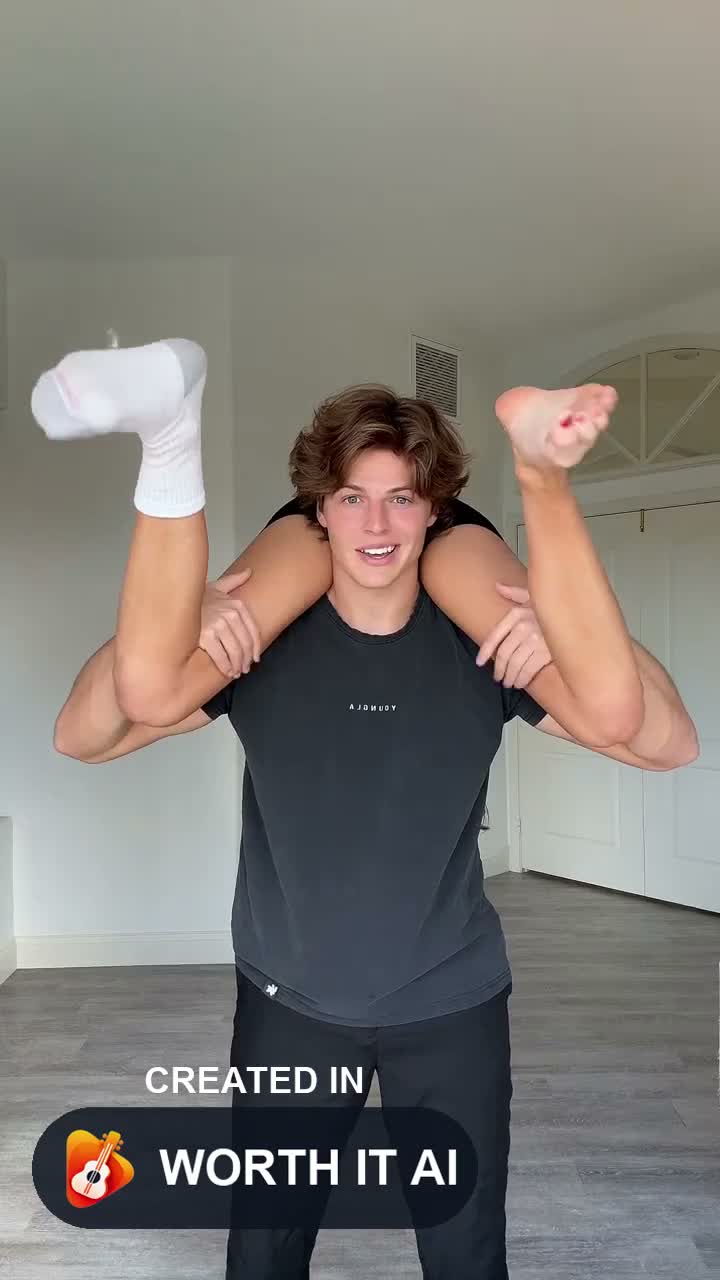
How the two portraits map to the carrier and the person across their shoulders, without filming the lift.
 Christmas Dance AINovember 16, 20264 min read
1. What this covers
This is the setup for the I'm the One shoulder-carry clip. The generator builds the carry. You do not have to pose for the lift.
2. Before you start
Photo 1 is the standing carrier. Photo 2 is the person draped across their shoulders. The two photos have to be different people.
The finished clip follows that carry and then the closing arm pose. The reference audio is included.
3. Steps
- 1
Photos
Use two individual adult photos, faces clear, no minors.
- 2
Setting
Choose a room. The action stays the same in each setting.
- 3
Generate
Read the credit cost beside the resolution, generate, and download the MP4.
4. Length, format and credits
Photo count, length, shape and the opening credit cost come from the current template.
| Routine | Photos | Length | Format | Credits |
|---|---|---|---|---|
| Shoulder Carry AI | 2 photos | 9.07s | 9:16 | 480p · 10 credits |